Block Reels on iPhone

Block Reels on iPhone.Keep Instagram. Delete the part that eats your day.

You don't want Instagram blocked. You want Reels blocked. Screen Time can't do that — it's all-or-nothing. Dull can. It's an iOS app that loads Instagram in a browser and strips Reels, Explore, and suggested posts before the page draws. Feed, Stories, and DMs still work. 7-day free trial, then $3.99/mo.
Download on the App Store start the 7-day trial. no card upfront.

iOS 16+ $3.99/mo or $14.99/yr on-device only

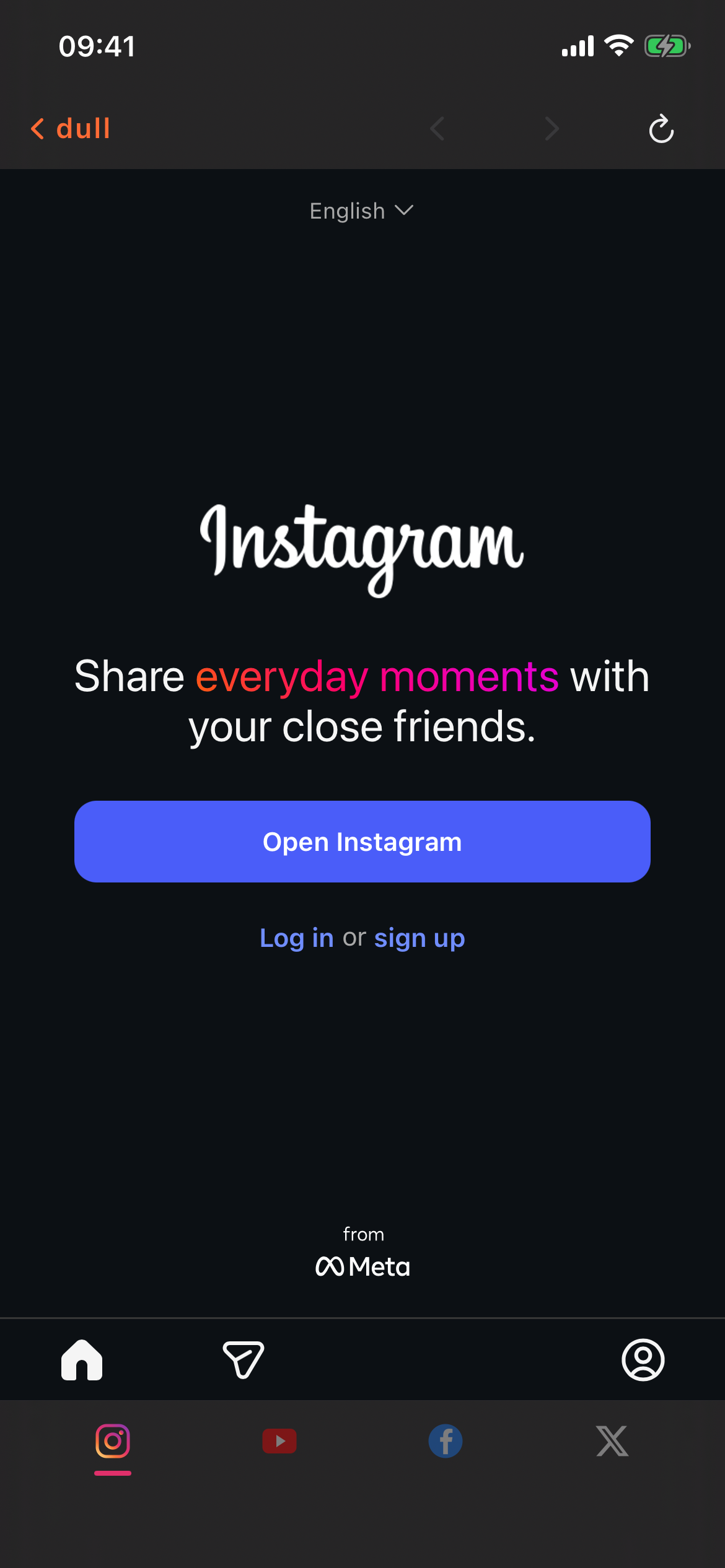
Instagram on iPhone with Reels blocked via Dull
Instagram / Reels blocked
01
Grab Dull from the App Store A small iOS app, no account needed. 7-day free trial. Requires iOS 16 or later.
02
Open Instagram from inside Dull Dull runs the real instagram.com in a browser. Sign in with your usual credentials. From this point on, Instagram opens through Dull instead of the Meta app.
03
Reels are blocked by default The Reels tab in the bottom nav, the Reels rows in-feed, and the Explore page are all removed. Nothing to configure. If you want them back for a single session, there is a temporary bypass button.
Can I block Reels on iPhone without blocking the whole Instagram app?
Yes, but only by running Instagram through a different browser. That's what Dull is. iOS doesn't let third-party apps modify the official Instagram app, so the workaround is to load Instagram on the web inside a controlled browser and remove the Reels tab at render time.
Why doesn't Screen Time block Reels specifically?
Screen Time operates at the app level. It can tell iOS to hide Instagram or to gray it out after 30 minutes, but it has no idea what a 'Reel' is. It can't see inside the app. Dull can, because Dull is the browser.
What about Instagram in Safari — can't I just use that?
You can, but Safari still shows you the Reels tab and Explore. Dull is specifically configured to block those surfaces on Instagram. It also handles YouTube, Facebook, X, and Reddit the same way.
Does blocking Reels also block Stories?
No. Stories are separate and stay fully functional. Dull blocks Reels, in-feed Reels rows, the Reels tab, and Explore. Stories, Feed, DMs, Search, and notifications are untouched.
What happens if Instagram updates and the block breaks?
We ship filter updates. Instagram's DOM changes every few weeks. When a change gets past our existing rules, we push an update through the App Store or via the live filter loader. That's the job.
Is there a way to get around my own block?
Intentionally, yes. There's a one-tap temporary bypass for a single session. That's a feature — we're not a parental control and we don't want to lock you out of your own phone. But there's also an optional PIN lock with a 24-hour cooldown if you want to make bypass harder on yourself.

Most 'block Reels' advice online comes down to: use Screen Time, delete the Instagram app, or try a Shortcut automation that breaks on the next update. None of them actually block just Reels — they either block all of Instagram or pretend the content isn't on the page. Dull removes Reels at the DOM level inside its own browser, which is the only way iOS allows a third-party app to touch Instagram's UI.

Block Reels. Keep Instagram.

7-day free trial. If it isn't the clean Instagram you remember, cancel before the trial ends and you pay nothing.

Download on the App Store 7-day free trial · $3.99/mo · $14.99/yr · $59.99 lifetime